> For the complete documentation index, see [llms.txt](https://docs.palliora.org/llms.txt). Markdown versions of documentation pages are available by appending `.md` to page URLs; this page is available as [Markdown](https://docs.palliora.org/use/use-lynra-defi-agent.md).
# Use Lynra - DeFi Agent
This guide will take you through the steps of using Lynra, a DeFi ReAct AI Agent, that helps you strategise your DeFi investments, execute swaps and put your assets to work on your behalf!
1. Head to [Lynra's website](https://lynra.ai/) to know everything you can do with Lynra agents and the infrastructure that makes Lynra stand out, through properties like decentralisation and privacy.
2. Next, you can explore the various agents Lynra offers by clicking on Explore Agents button on the website or [clicking here](https://agent.lynra.ai/).
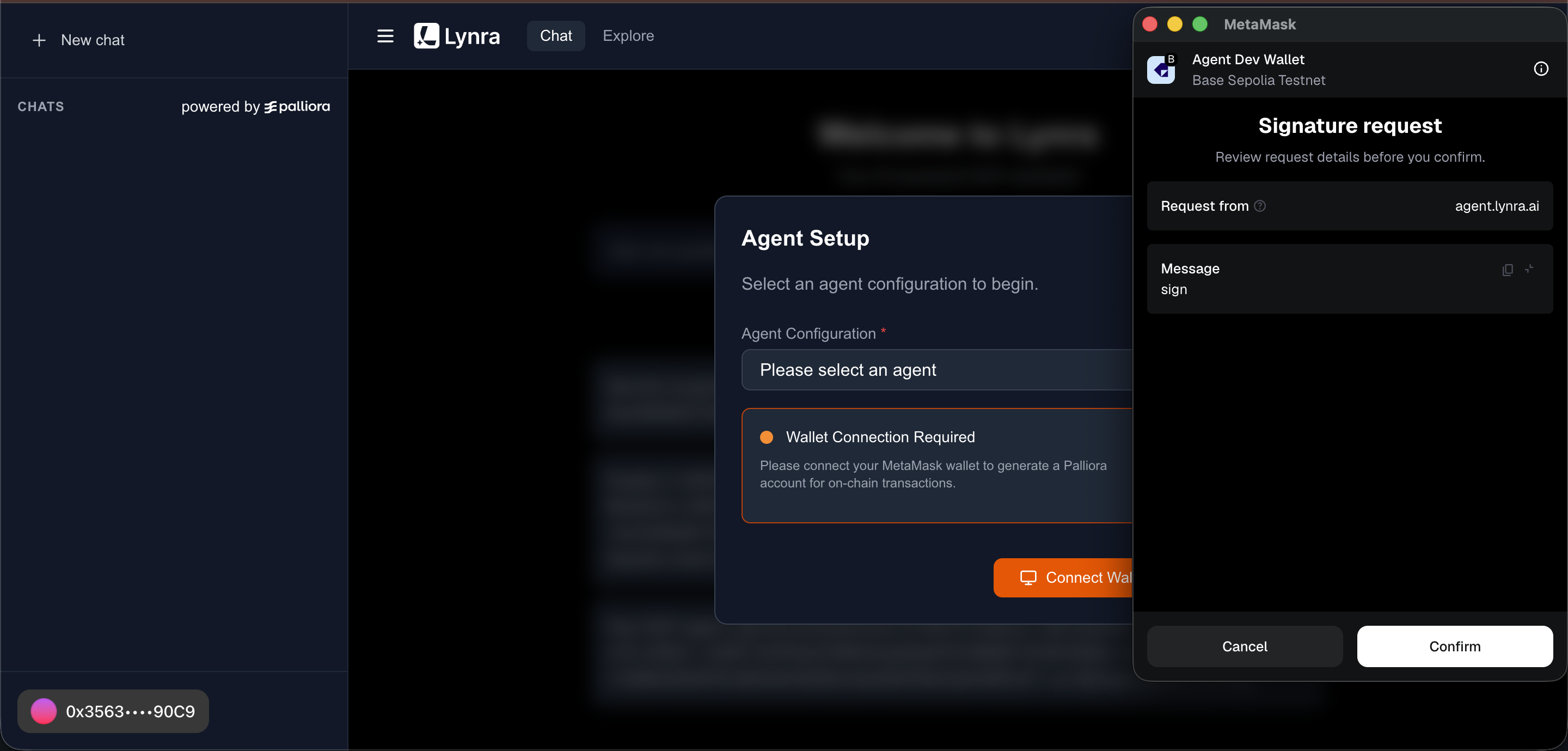
3. The dapp will prompt to connect your wallet and sign a message. This is a crucial step as this signature is required for generating a key-pair for your public address on the [Manas testnet (Palliora).](https://palliora.org/)
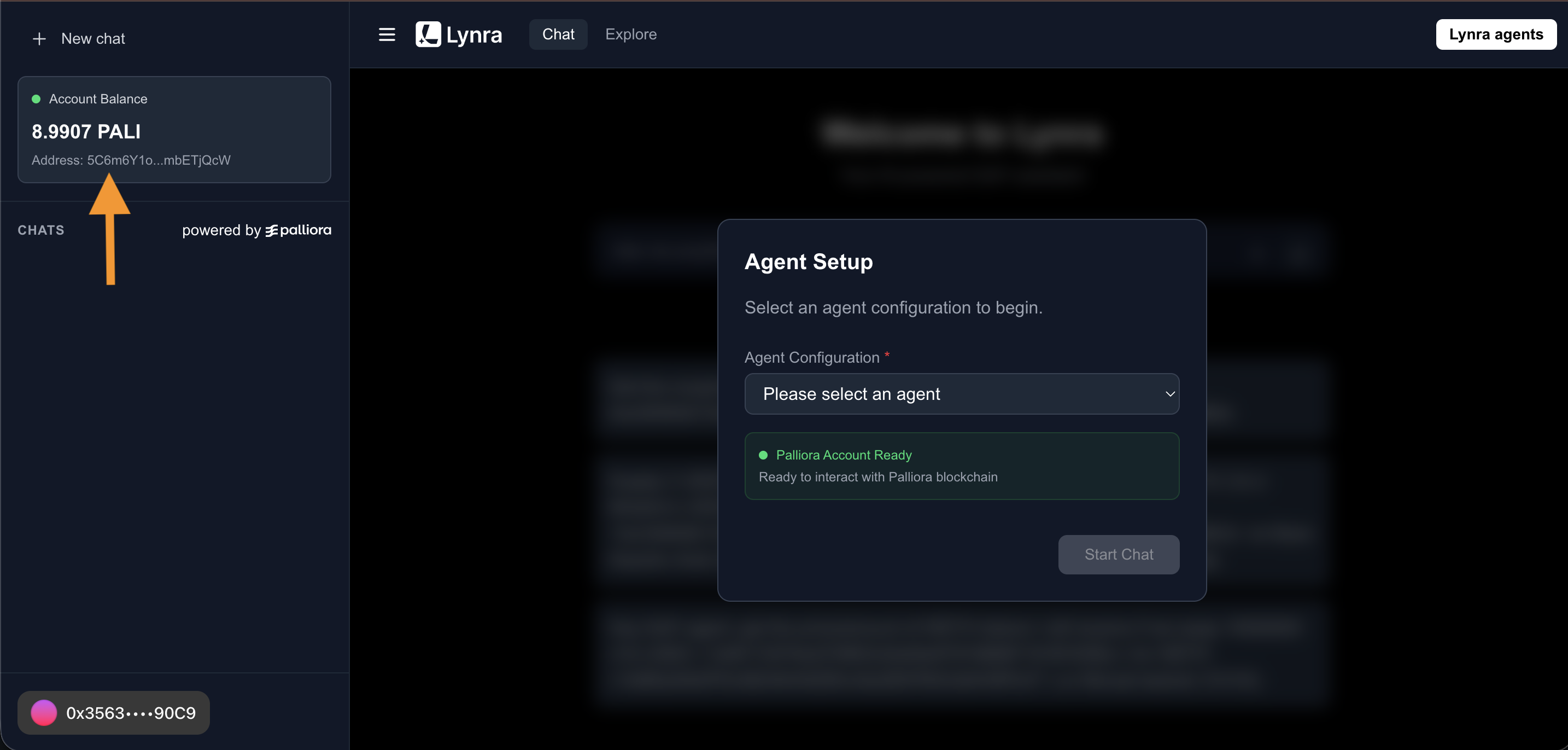
4. Once connected, we should be able to see your **$PALI test token** balance on the left. We require **$PALI tokens** to access and run Lynra agents on the Palliora network, in a decentralised way.
5. If you have generated a fresh **Palliora account,** we can get $PALI tokens from Palliora's faucet. Head over to [Palliora's faucet](https://manas.palliora.org/faucet) on the Manas testnet explorer, connect your wallet with the same public account you used on Lynra, and click on the **Claim Faucet** button.
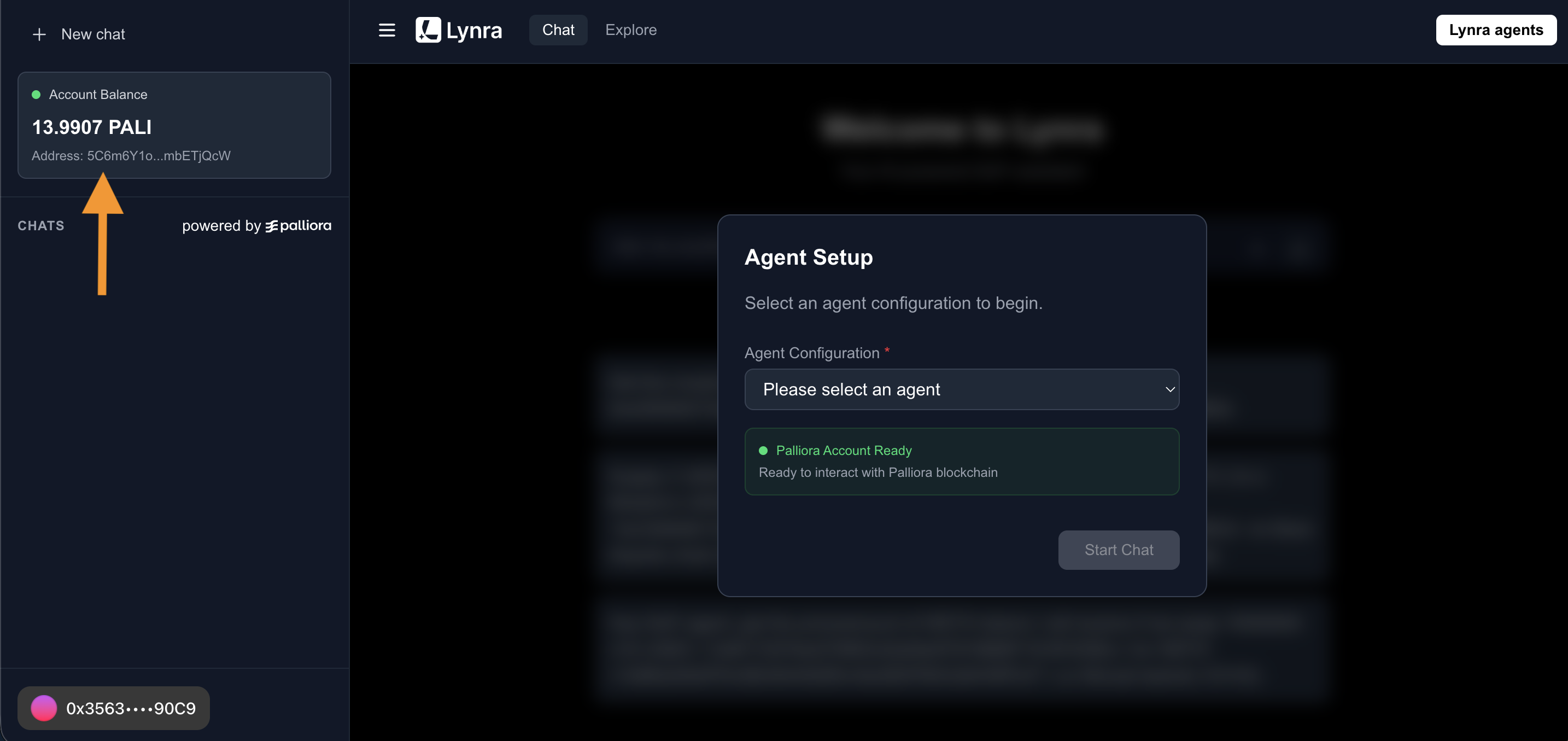
6. We will see a success popup, indicating your Palliora account is topped up with $PALI test tokens. Now its time to head back to the Lynra app, which should show the updated $PALI token balance on the left.
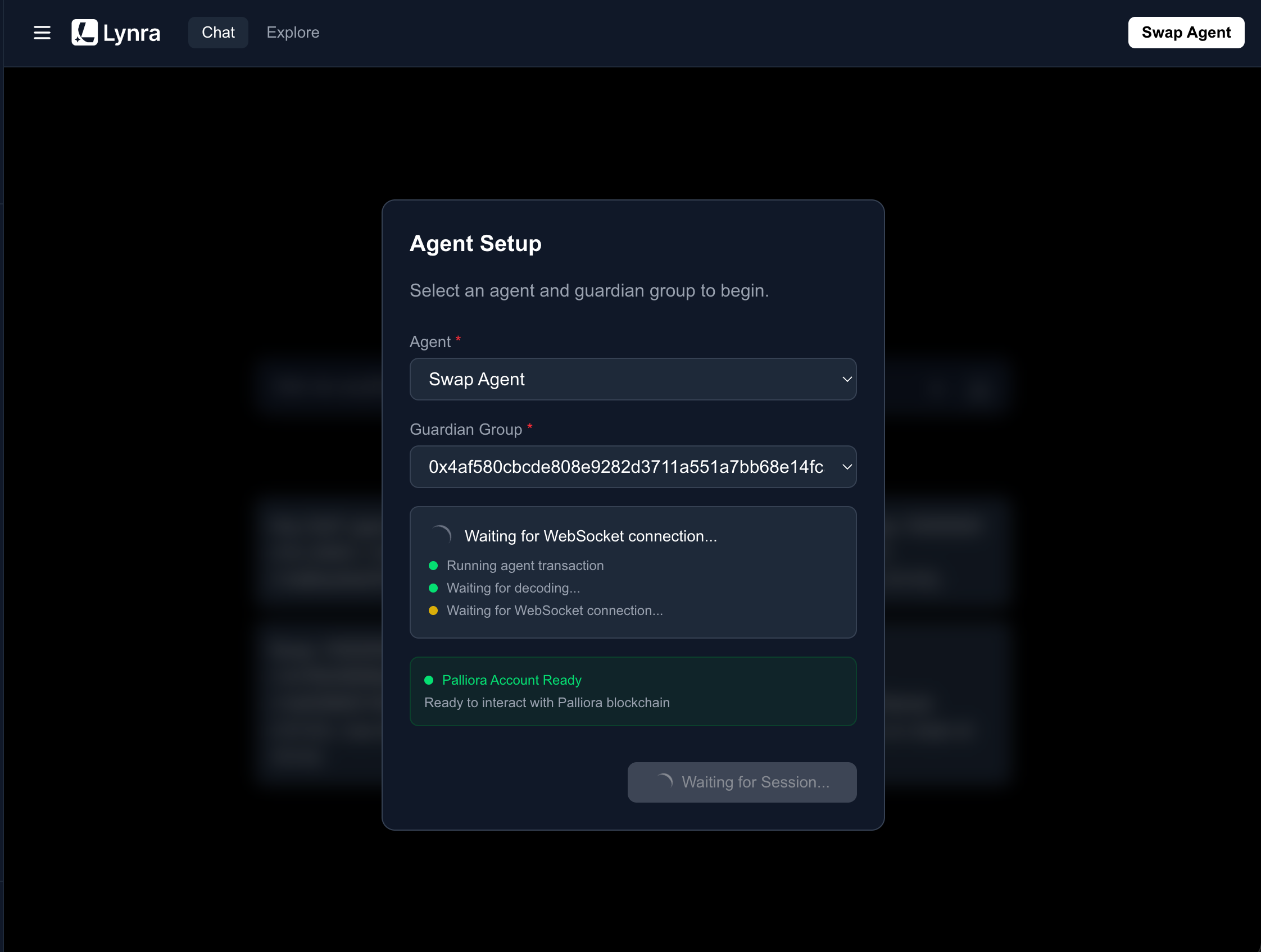
7. Once you have some $PALI test tokens, you're good to spin up your Lynra DeFi Agent. Lynra offers 3 agents for you to select from depending on the task you want to get done:
1. **Analyser Agent:** This is an informative agent that helps you analyse the current market state and startegize.
2. **Yeilder Agent:** This is a ReAct agent which can put your funds to use by lending/withdrawing them from yield protocols like Morpho and Pendle.
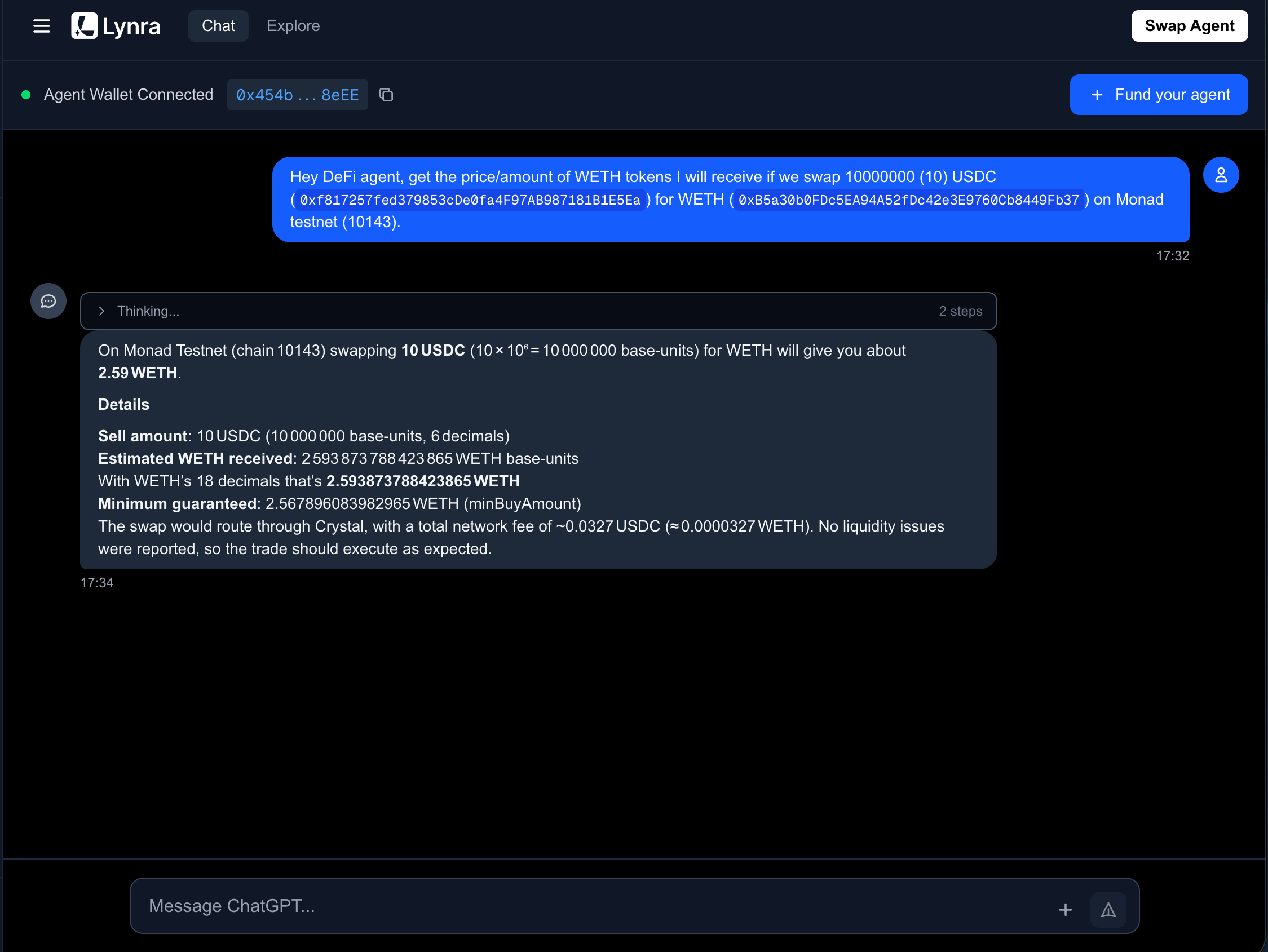
3. **Swapper Agent:** This one's also a ReAct agent, which makes swapping tokens a breeze, just through natural language!
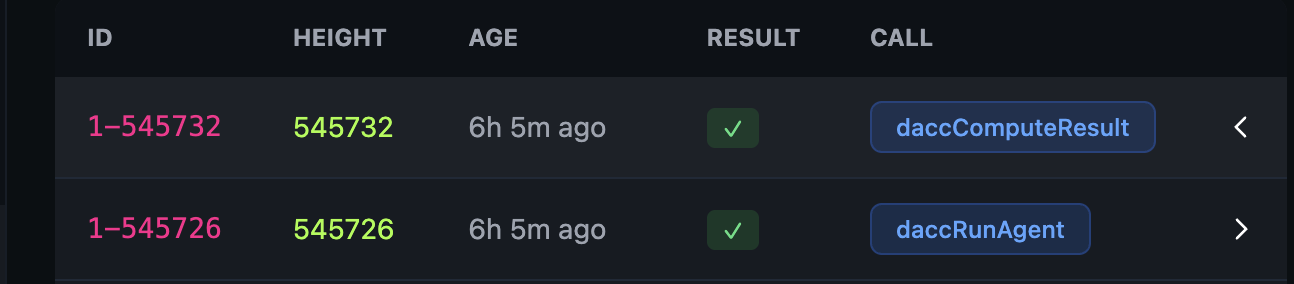
8. Once you've selected an agent to run, a `daccRunAgent` event will be emitted on the Palliora network. A calculator node on the Palliora network will pick up this event, perform a threshold decryption of the requested agent's config, to get the agent's container image and .env variables, and run the agent on their end.
9. Finally the running agent's **access URL** (end-to-end encrypted) is returned by the calculator node in the `daccComputeResult` event, which is encrypted against your Palliora's public key.
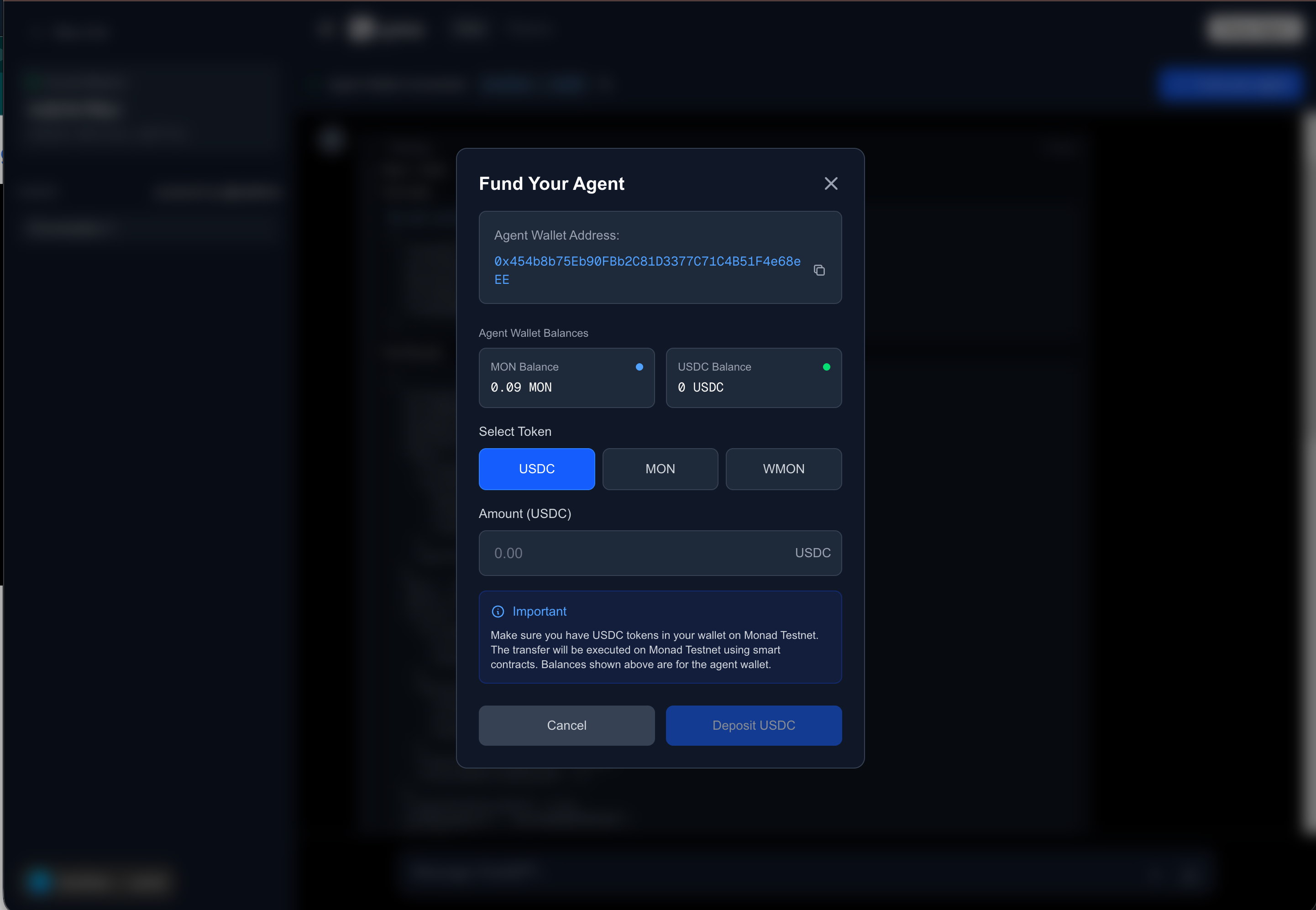
10. The agent's access URL is finally decrypted on your end, and a *connection is established* between your machine and the running agent on the calculator node. An **agent wallet** is also created per user, and any funds required by the agent to perform on-chain task will be deducted from this agent wallet. The agent wallet is created to provide limited funds the agent has access to [(more about agent wallet here)](https://app.gitbook.com/o/c6nOxq8qsXa7V5clr4UF/s/G042xWWqiDkSJlg00aF9/~/changes/24/use/use-lynra-defi-agent#about-the-agent-wallet).
11. You can now prompt the agent to perform a task and the agent should do that for you! *We suggest using the pre-engineered prompts curated for you, as they have been designed and tested to tackle the probabilistic nature of AI agents.*
#### **About the Agent Wallet**
If the task requires the agent to make on-chain calls, it is done using the **agent wallet** generated during the initialisation of the agent. Agent wallet has the following properties:
1. A new agent wallet per user will be generated.
2. The user will deposit only the funds required by the agent to perform its task to the agent wallet. This will limit access to funds by the agent, instead of giving agent access to the user wallet directly.
3. The user session will store the mnemonics to this generated user wallet, meaning, the users can also recover their agent's wallet using the Secret Phrase option in popular wallets like Metamask, anytime they want direct access to their funds deposited in the agent wallet.
4. Certain tasks like swapping and generating yield require the users to fund their agent wallet with the required gas token and the token needed for the task, for eg, the yielder agent requires USDC token to supply to Morpho markets. The required tokens funding and their balances can be managed by clicking the "Fund your agent" button on the top right of the chat interface
Hope this guide gave you a glimpse of how to use Lynra DeFi AI Agents for your needs, performing multi-steps on-chain actions, using just natural language prompts, abstracting away the complexities of on-chain actions. Hope this adds tremendous value to your workflows.